ATS-Friendly Resume Format: A Practical Checklist and Template
An ATS-friendly resume is not a document stuffed with keywords or stripped of personality. It is a readable resume whose text extracts in the right order, uses recognizable sections, and proves the requirements of one real job.
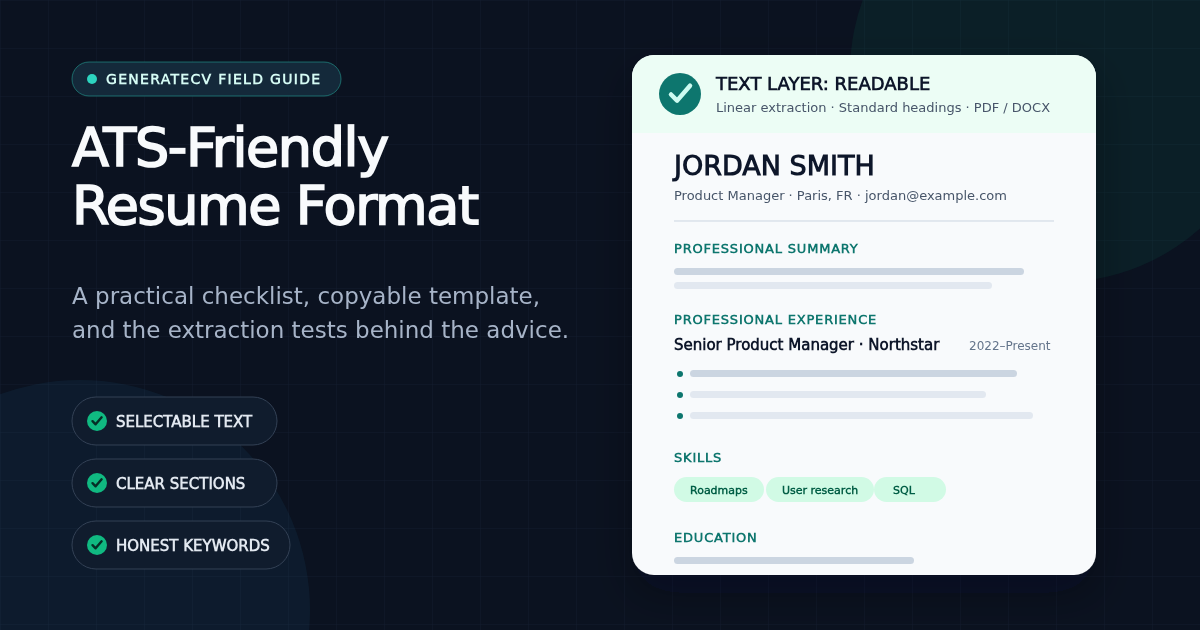
Key takeaways
- An ATS-friendly resume has selectable text, a predictable reading order, standard section headings, and contact details in the document body.
- PDF and DOCX are both supported by major recruiting platforms. Follow the employer's requested format; otherwise use a text-based PDF when you want to preserve layout.
- A single-column upload version is the safest default. Greenhouse specifically lists columns, tables, headers, footers, graphics, and unclear sections as causes of partial parsing.
- Keywords only help when they truthfully describe your experience. Use the posting's language, then prove the important terms in bullets instead of stuffing a skills list.
- The fastest self-test is to select all, copy, and paste your resume into a plain-text editor. If the text is missing, spaced apart, or out of order, fix the export before optimizing anything else.
An ATS-friendly resume is a normal, readable resume whose text can be extracted in the intended order. Use recognizable sections, keep important information out of headers and graphics, submit a text-based PDF or DOCX, and use the job description's terms only where they honestly describe your work. That is the job. There is no secret font, invisible keyword trick, or universal score that makes a resume "pass."
What an ATS actually does with your resume
Applicant tracking systems are recruiting databases. When you upload a resume, a parser attempts to turn the document into fields such as your name, contact details, employers, job titles, dates, education, and skills. A recruiter can then review the original file, inspect the parsed profile, search for terms, or apply the filters configured for that particular role.
This is not speculation. Lever's parsing documentation describes extracting names, organizations, contact details, and work history into a candidate profile. Workday HiredScore's documentation says recruiters can view a parsed resume, compare it with a job description, and search the original resume for keywords.
That distinction matters. The safe goal is not to "beat" software. It is to make sure the database receives an accurate record and a human can quickly verify it. Our ATS rejection myth explainer covers why the familiar claim that most resumes are automatically rejected by an ATS is not a sound basis for writing decisions.
The ATS-friendly resume checklist
| Check | Safer default | What can go wrong |
|---|---|---|
| File | Text-based PDF or DOCX requested by the employer | Scans, screenshots, and image-only PDFs have no reliable text to parse |
| Layout | One main column with a clear top-to-bottom order | Columns and layout tables can interleave unrelated lines |
| Contact details | Name, email, phone, location, and links in the document body | Some parsers skip or misread headers, footers, and text boxes |
| Headings | Summary, Experience, Education, Skills, Projects, Certifications | Creative labels make section mapping less predictable |
| Typography | Readable font, sensible size, restrained letter-spacing | Decorative text, word art, and wide tracking can corrupt extraction |
| Bullets | Standard round or square bullets with normal text | Icon fonts and decorative glyphs may extract as boxes or noise |
| Keywords | Exact, truthful job terms supported by examples | Stuffing creates repetition without proving competence |
| Final test | Copy the whole file into a plain-text editor and inspect it | A visually polished file can still contain missing or scrambled text |
What we test in GenerateCV exports
"ATS tested" is vague unless a company explains the test. We do not claim to simulate every version and configuration of every recruiting system. We test the part we control: whether our exported text reaches a parser intact and in a predictable structure.
Our current automated checks include:
- PDF heading integrity. The test renders the same heading with React-PDF, extracts it with pdf.js, and verifies that
EXPERIENCEremains one searchable word at one point of letter-spacing. At two points, that exact test fails because the extracted word breaks apart. - A template-wide spacing fence. A static test scans every shipped PDF template and fails the build if text letter-spacing exceeds the measured safe cap.
- Ligature and hyphenation checks. Test phrases such as
Proficient,workflow, andefficiencymust survive extraction without ligature glyphs or inserted mid-word hyphens. - DOCX section order. The DOCX tests open the generated document package and verify that standard section headings and their content are serialized in the intended order.
These checks do not promise a job outcome. They prove a narrower and useful fact: the exported file contains searchable words and a stable structure before an employer's software touches it. The original threshold experiment and its limitations are documented in what ATS parsers see inside a PDF.
PDF or DOCX: which format is better?
Follow the job posting first. If the application asks for DOCX, upload DOCX. If it asks for PDF, upload PDF. A requested file type is a stronger signal than any general article.
When no preference is given, both formats are legitimate. Greenhouse accepts DOC, DOCX, PDF, RTF, and TXT, while Lever lists Word and PDF among its parseable types. Greenhouse's supported-format page and the Lever documentation are useful reminders that there is no universal "PDF always fails" or "DOCX always wins" rule.
- Choose a text-based PDF when you want the layout to remain fixed across devices. USAJOBS, for example, recommends PDF to preserve formatting and page count, while also accepting Word and several other formats.
- Choose DOCX when the employer requests it or when the application workflow is explicitly built around Word documents.
- Never submit a screenshot or image-only scan unless the employer explicitly asks for an image. Lever says it cannot parse JPG or PNG resume information; Greenhouse also lists image-based resumes as a cause of unsuccessful parsing.
The safest section order
For most experienced candidates, use this order:
- Contact information
- Professional summary or target headline
- Work experience
- Skills
- Education
- Relevant projects, certifications, licenses, or languages
The order can change when the evidence changes. A recent graduate might put Education and Projects before Experience. A licensed healthcare professional might move Licenses near the top. A technical candidate with strong open-source work might place Projects before Education. ATS-friendly does not mean every resume must be identical; it means the labels and reading order should be obvious.
Two related decisions live outside this checklist. Whether experience or skills should lead — chronological, functional, or combination — is a structural choice with real trade-offs, mapped in choosing a resume format that doesn't hide your evidence. And how much history those sections should hold is a career-stage question, covered in how long a resume should be.
Use conventional headings such as:
- Professional Summary rather than "Who I Am"
- Professional Experience rather than "My Journey"
- Education rather than "Learning"
- Skills or Technical Skills rather than "My Toolkit"
Can an ATS read a two-column resume?
Some modern parsers can. That does not make every two-column export equally safe. The risk is reading order: text that looks side-by-side to a person may be stored as alternating lines, or the narrow sidebar may be read before the main experience section.
Greenhouse's own troubleshooting guide lists columned layouts, complex tables, headers, footers, text boxes, graphics, and unclear sections among formatting issues that can cause partial parsing. That is strong enough evidence for a practical default: keep a polished design version if it helps your work, but maintain a clean single-column version for application portals where you cannot inspect the parser.
If you choose a two-column template, run the copy-and-paste test below. Do not reject a design because a blog called columns universally forbidden; reject it when its extracted order is wrong.
How to use resume keywords without stuffing
The job description is the best vocabulary list for that application. Pull out the role title, required tools, domain terms, credentials, and repeated responsibilities. Then separate them into three groups:
- True and already visible: keep them.
- True but described differently: translate your wording to the employer's term.
- Not true: leave them out and accept the gap.
For example, if a posting asks for "paid media" and your resume says "managed Google Ads and Meta campaigns," adding the exact phrase "paid media" is truthful translation. Adding "Salesforce" because the posting asks for it when you have never used Salesforce is fabrication.
Put important terms in evidence-bearing sentences, not just a keyword block. "SQL" in Skills is searchable; "used SQL to automate a weekly revenue report and cut preparation time by four hours" is searchable and persuasive. See how to mirror a job description without lying for the complete workflow, and use the free ATS checker to compare one resume with one actual posting.
A copyable ATS-friendly resume template
FULL NAME
City, State | phone | email | LinkedIn or portfolio

TARGET TITLE / PROFESSIONAL SUMMARY
2-4 lines connecting your relevant experience, specialty, and strongest proof
to the role you are applying for.

PROFESSIONAL EXPERIENCE
Job Title | Company | City, State | Month Year-Month Year
• Action + relevant task or skill + scale/result
• Action + relevant task or skill + scale/result

Previous Job Title | Company | City, State | Month Year-Month Year
• Action + relevant task or skill + scale/result

SKILLS
Tools: [truthful, job-relevant tools]
Methods: [truthful, job-relevant methods]

EDUCATION
Degree or qualification | Institution | Year if useful

OPTIONAL RELEVANT SECTIONS
Projects | Certifications | Licenses | Languages | Publications
The template is deliberately plain because the content must work before styling is added. You can apply hierarchy, spacing, and restrained color without changing its reading order. GenerateCV's resume templates include a dedicated single-column ATS-safe option as well as more visual layouts; use the extraction test, not the thumbnail, to decide what to submit. For the numeric side of readability — body sizes, margins, line spacing, and the order to adjust them in when space runs out — see resume font size, margins, and spacing.
The 30-second ATS format test
- Export the exact file you plan to upload.
- Open it in a PDF viewer or Word.
- Select all, copy, and paste into a plain-text editor.
- Check your name, email, phone, employers, job titles, dates, headings, and keywords.
- Read from top to bottom. Make sure columns did not interleave and no section disappeared.
- Search the pasted text for three to five important terms from the job description.
Lever recommends the same basic highlightability check for determining whether a file is likely parseable. The test is not a clone of an employer's ATS, but it catches the most fundamental failure: the words you can see are not the words software receives.
What an ATS-friendly format cannot fix
Clean formatting cannot create missing experience, repair vague achievements, or make an unrelated application competitive. It also cannot predict knockout questions about work authorization, location, licensing, salary, or minimum qualifications. Those answers may matter more than the resume parser.
Format is the delivery layer. Once it is readable, the harder work is relevance: choosing a realistic role, reflecting its language truthfully, and writing bullet points that show what changed because of your work. A perfect text layer carrying generic claims is still a generic resume.
Sources and testing notes
- Lever: Understanding resume parsing — accepted formats, parsed fields, image limitations, and the highlightability test; updated November 25, 2025.
- Greenhouse: Unsuccessful resume parse — documented causes of partial or failed parsing; updated March 2, 2026.
- Greenhouse: Supported candidate upload formats — DOC, DOCX, PDF, RTF, and TXT; updated October 27, 2025.
- USAJOBS: Add a resume to your profile — format guidance and accepted file types; checked August 2, 2026.
GenerateCV's PDF claims above are backed by automated tests in our current export code using React-PDF and pdf.js. That test stack is an extraction check, not a claim that all ATS vendors behave identically. We will update this article when the export tests or cited platform documentation materially change.
Run the free check — no signup
See exactly how your resume scores against real ATS filters — free, unlimited, and it stays in your browser.
Related Articles
How Our Free Resume Checker Calculates Its Score
The category weights, extracted-text checks and limitations behind GenerateCV's local resume report.
Read articleNo, an ATS Probably Didn't Auto-Reject Your Resume
The '75% of resumes are rejected by ATS' statistic traces back to a defunct vendor with no published methodology. Here's what applicant tracking systems actually do — and what actually gets resumes skipped.
Read articleWe Measured What ATS Parsers Actually See Inside Your PDF
We rendered PDFs at increasing heading letter-spacing and extracted their text layers. Past a measurable threshold, 'EXPERIENCE' becomes 'E X P E R I E N C E' — invisible to keyword search. Here's the data, and the 30-second way to test your own resume.
Read article