Cover Letter ATS Myths: What Parsing Actually Does
Separate upload and text-extraction reality from cover-letter ATS folklore: file formats, keywords, hidden text, columns, length, and a parsing-safe checklist.
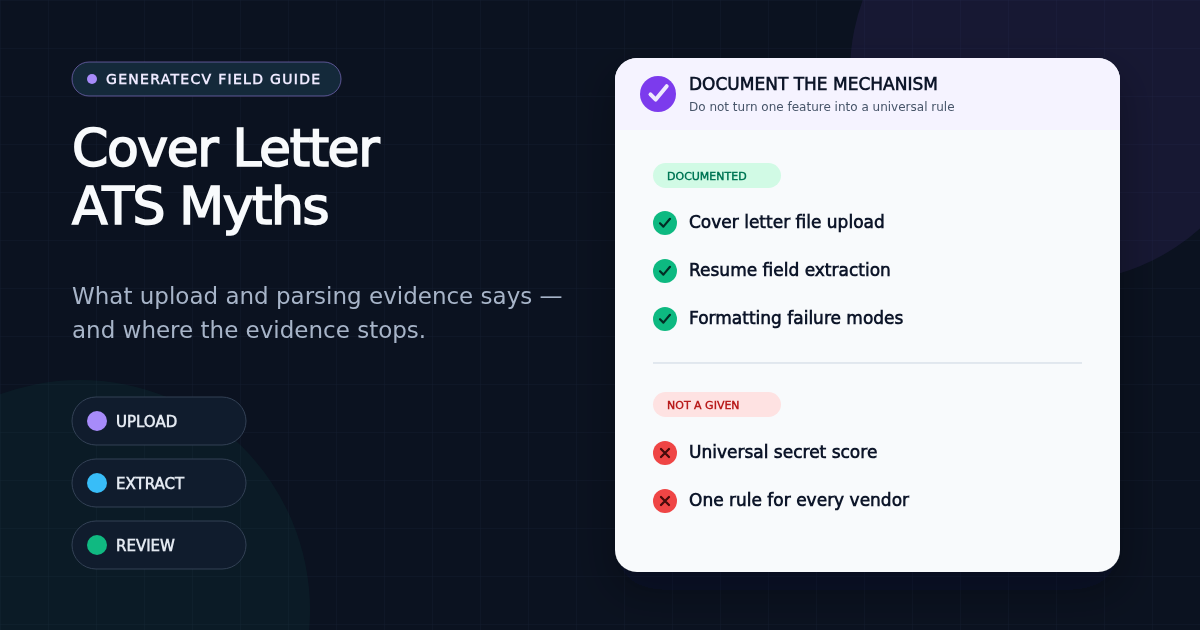
Key takeaways
- An ATS can accept a cover letter as an application document; that fact alone does not prove a universal cover-letter score, keyword gate, or rejection rule.
- Greenhouse documents common upload formats for resumes and cover letters, while its separate parsing guide describes extracting resume data into candidate-profile fields.
- Use truthful job language for the human argument and searchability, not repetition or hidden text.
- Follow the posting's requested file type, export live selectable text, use a simple reading order, and confirm the attachment before submitting.
- Resume parsing evidence should not be silently generalized into claims about every vendor's cover-letter workflow.
A cover letter can be uploaded into an applicant tracking system. That does not, by itself, establish that every system gives the letter a score, counts its keywords, or rejects the application when the prose misses a secret rule. The defensible approach is to separate three mechanisms: uploading a file, extracting text or fields, and the employer's configured review process.
This article stays inside what current primary vendor documentation actually supports. For the writing structure, use our how to write a cover letter guide. For document extraction and layout, the canonical reference is our ATS-friendly resume format checklist.
The parsing reality in two vendor-documented steps
1. A cover letter can be an application attachment
Greenhouse's current supported candidate uploads documentation says a job post can ask candidates for documents such as resumes and cover letters, and lists DOC, DOCX, PDF, RTF, and TXT as accepted file types. That is evidence about file intake. It does not say every cover letter receives an automatic content score.
2. Resume parsing can populate a candidate profile
Greenhouse's separate unsuccessful resume parse documentation explains that its resume parser scans an imported resume and fills candidate-profile fields with information it detects. It also documents formatting patterns that can interfere with that resume extraction, including images, tables, headers, footers, text boxes, and columned layouts.
Scope matters: that second page is about resume parsing, not a universal cover-letter scoring feature. The reasonable inference is narrow: plain, selectable text and predictable reading order reduce avoidable extraction risk in uploaded documents. The page does not justify claims about a secret cover-letter score or a vendor-wide rejection threshold.
Myth 1: every cover letter gets an ATS score
Do not plan around that assumption unless the employer or vendor names the feature in the workflow you are using. The primary pages verified for this guide document attachments and resume-field extraction; they do not document a universal cover-letter score. That absence is not proof that no employer uses automated analysis. It is a reason to stop presenting one imagined workflow as a rule for all applications.
Write for the observable workflow: the posting asks for a letter, the portal accepts it, and a reviewer may open it. Make the document easy to store, open, search, and skim. Do not optimize toward an unpublished number.
Myth 2: PDF cover letters are automatically unreadable
PDF is not universally forbidden. Greenhouse explicitly lists PDF among supported candidate upload formats, alongside common text and word-processing formats. The useful distinction is not "PDF bad, DOCX good." It is whether the employer requested a format and whether the submitted file contains live, selectable text in the intended order.
Follow the posting first. If it asks for DOCX, send DOCX. If it asks for PDF, send a text-based PDF. If it offers a text box, paste a clean plain text version and check the paragraph breaks before submitting.
Myth 3: repeating keywords makes the letter pass
Keywords are vocabulary, not evidence. Use the role title, tools, methods, credentials, and domain language from the posting where they truthfully describe your work. Then connect the important terms to one concrete example. "Led an ERP rollout across 7 teams with 46 acceptance checks" is both searchable and meaningful; repeating "ERP" in every paragraph is only repetition.
A cover letter also has a different editorial job from a skills list. It selects two or three requirements and explains the overlap with your experience. Our guide to mirroring the job description without lying applies to both resumes and letters: translate truthful wording, never manufacture missing experience.
Myth 4: hidden text is a clever keyword workaround
White-on-white terms, text behind shapes, tiny type, and repeated off-page words do not improve your argument. They can make extraction noisy, create suspicious text when a reviewer selects or copies the document, and leave the visible letter unable to support the terms. If a requirement is true and important, state it visibly and prove it. If it is not true, hidden text does not change the gap.
Myth 5: one column guarantees a positive outcome
A simple reading order reduces one class of document risk; it does not determine whether your experience fits the job. Greenhouse's resume guidance documents columns and complex tables among patterns that can disrupt resume parsing, so a single main column is a sensible upload default. It is not an outcome promise.
Keep decorative sidebars, floating text boxes, and information inside images out of the application version. Use visible headings and normal paragraphs. If you keep a designed version for direct sharing, maintain a clean upload version and run the copy-and-paste test described below.
Myth 6: the exact word count changes the ATS decision
We found no support for a universal word-count gate in the primary product documentation used for this guide. Length is an editorial constraint: one readable page makes the human argument easier to inspect. Our cover letter length guide uses 250-400 words as a working range, not as a vendor scoring rule.
Myth 7: a cover letter can repair a broken resume upload
Treat the files as separate application documents. A clean cover letter does not restore missing dates, employers, or skills from a resume whose text layer is broken. Test the resume and letter independently, confirm both attachments appear in the portal, and inspect any candidate-profile fields the application lets you review.
A parsing-safe cover letter checklist
- Read the upload instruction. Use the requested file type, naming pattern, and word or character limit.
- Keep text live. Export from a document editor; do not submit a screenshot or image-only scan.
- Use one main reading order. Put contact details and letter content in the body rather than floating boxes.
- Use conventional text. Readable type, normal spacing, short paragraphs, and a visible greeting and sign-off.
- Use job terms honestly. Match vocabulary where the experience is real and attach proof to the most important terms.
- Run a plain-text test. Select all, copy, and paste into a plain-text editor. Confirm the order and words survive.
- Open the final export. Check the page count, last line, contact details, and any visible link.
- Confirm the portal state. Make sure the intended file name appears before the final application submission.
What to do when the application uses a text box
Paste the body without a duplicate address block when the form already captures contact details. Preserve short paragraphs, remove rich-text artifacts, and check curly quotes or bullets if the field changes them. A plain-text field does not need a PDF-style visual header. It still needs role, evidence, fit, and a close.
If the form asks a specific question, answer that question instead of pasting a generic letter. "Why this role?" and "Describe relevant experience" are separate prompts; give each a direct, non-duplicative answer.
What to do when no cover letter field exists
Do not force the letter into an unrelated upload slot. Complete the application requested. If a general additional-document field exists, use it only when the label and instructions make a cover letter appropriate. The absence of a letter field is not a formatting puzzle to route around.
Sources and verification note
- Greenhouse: Supported formats for resumes, cover letters, and other candidate uploads — file-intake scope and supported document formats; verified in command-line retrieval and a real browser on August 5, 2026.
- Greenhouse: Unsuccessful resume parse — resume-to-profile extraction and documented resume formatting failure modes; verified in command-line retrieval and a real browser on August 5, 2026.
- Scope note: one vendor's public documentation demonstrates specific mechanisms, not a universal configuration across employers or applicant tracking systems. Claims in this article are deliberately limited to those mechanisms.
Draft your cover letter in minutes
Paste the job description, add your resume, and get a tailored letter you can edit line by line — built on your real experience, never invented.
Related Articles
Cover Letter Length: The One-Page Editing Guide
Use a practical 250-to-400-word cover letter range, assign space to proof instead of filler, and trim an overlong draft with a paragraph-by-paragraph editing method.
Read articleHow to Write a Cover Letter That Actually Gets Read: Format, Example & Checklist
Most cover letters restate the resume in paragraph form and open with 'I am writing to express my interest…'. Here's the format that survives a skim, a copyable four-part structure, a real before-and-after opening, and the honest way to use AI without letting it invent your story.
Read articleHow Our Free Resume Checker Calculates Its Score
The category weights, extracted-text checks and limitations behind GenerateCV's local resume report.
Read article